Business / Storefront & payments
A business website connected to the work it generates.
Present your services and portfolio, receive customer interest, and manage payments within the AYNA workflow. Your public presence and customer work share an operating platform.

The operational context
The customer journey should continue beyond the contact form.
A separate website can publish the services while leaving inquiries, quotes, bookings, and payments to other tools. The operator then maintains the connections between them. AYNA includes a storefront tied to the service and customer workflow, giving the business a public presence that leads into the work it manages.
01 / Storefront & payments
Present the services your business provides.
Create service listings with the information customers need to understand the offer. Use the storefront to present your business, contact information, and selected work. Maintain those listings within AYNA alongside the customer activity they generate.
Service listings · business information · customer contact
02 / Storefront & payments
Build the presentation around your business.
Choose an available storefront template, adjust the visual settings, and use images or video to support the presentation. Publish selected portfolio projects and decide which content appears publicly. Your AYNA storefront has its own address; custom domain support is available for your business domain.
Templates and branding · portfolio selection · storefront address

03 / Storefront & payments
Bring inquiries into the customer workflow.
Let customers contact the business or request a service through the storefront. Review the request in AYNA with its supplied service, timing, and location information. Confirm the details before quoting and scheduling the work, rather than treating an incoming request as an operational commitment.
Contact and service requests · lead review · operator confirmation

04 / Storefront & payments
Keep payment records with the customer work.
Connect Stripe to accept customer payments through AYNA. Use payment links for quoted work, with deposits and balances where applicable. Review amounts paid and the balance due within the customer workflow. Customer payment processing is subject to Stripe processing and AYNA's published payment fees.
Connected Stripe account · payment links · deposits and balances
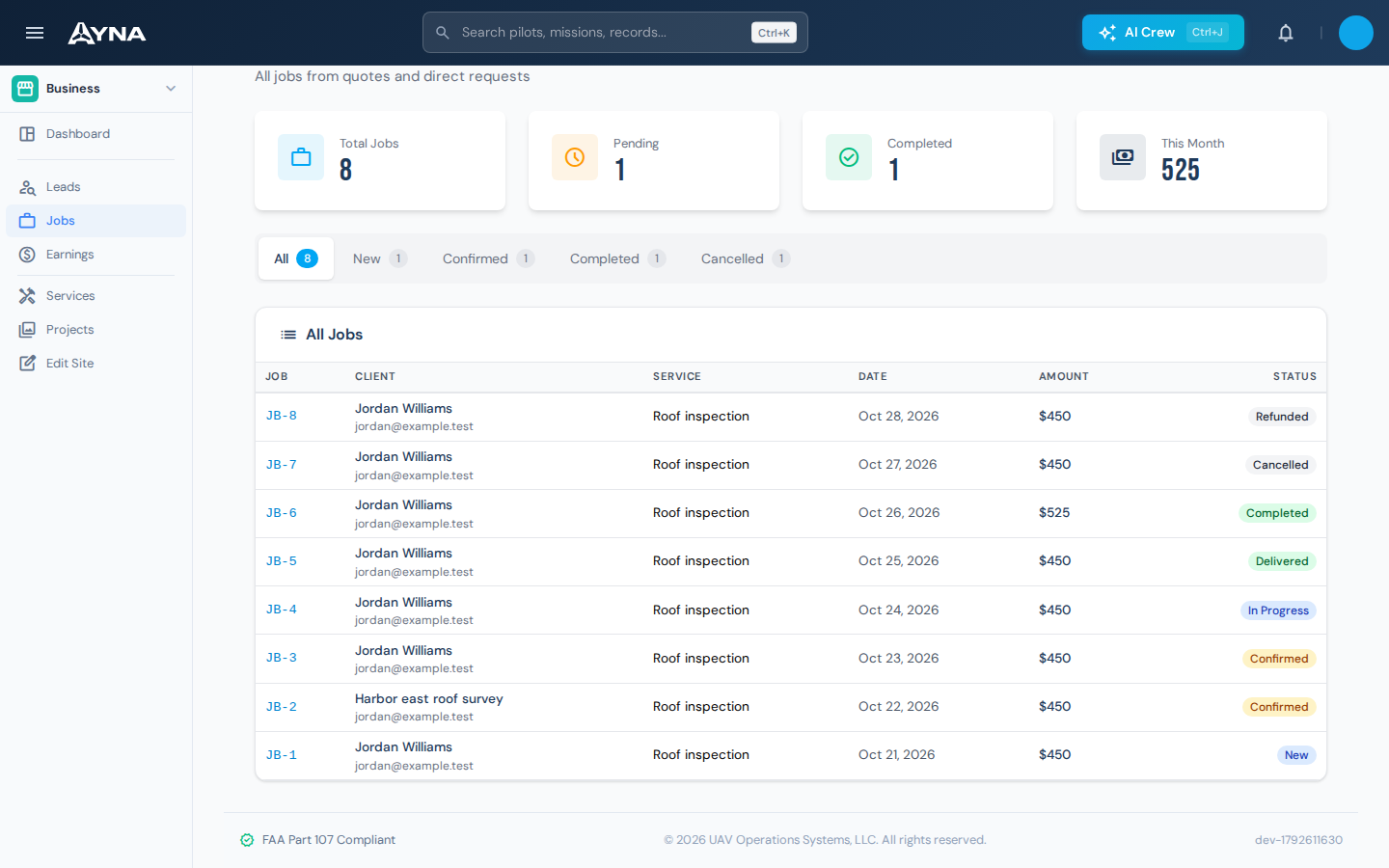
Working in AYNA
From published service to customer payment
- 01
Publish the offer
Present services, portfolio work, and contact information on your storefront.
- 02
Review the inquiry
Confirm the requested work, timing, location, and price in AYNA.
- 03
Receive and track payment
Send the applicable payment link and retain the payment record with the work.
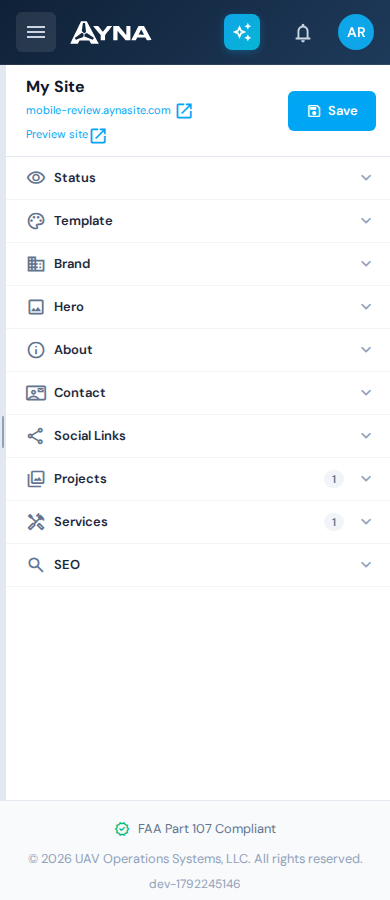
AYNA mobile app / In the field
Your business website, on a phone.
Review the storefront in its mobile layout and keep your public service presentation connected to the business workflow behind it.
Install AYNA on your home screen as a mobile web app (PWA). Use the same account and workspace on your phone and desktop.
How to install AYNA
On iPhone or iPad, open AYNA in Safari and select Share → Add to Home Screen. On Android, use the installation prompt or the browser menu’s Install app / Add to Home Screen option where available.
Live records and changes require a connection. Installation does not provide offline editing or queued submissions.
Storefront & payments / Questions
Details for your operation.
Is the storefront a separate product tier?
The storefront is part of AYNA. See pricing for the current plan details.
Can I use my business domain?
AYNA supports custom storefront domains, in addition to the provided aynasite.com address.
Are customer payment fees included in the subscription?
Customer payment fees are separate from the seat subscription. The existing pricing page provides the commercial terms, including Stripe processing and AYNA's progressive application fees.
Continue the work
Connected capabilities.
Pilot
Connect your storefront to your business workflow.
14-day free trial · no charge today · cancel anytime