Operations & Administration / Compliance & procedures
Put your operating standard where the work happens.
Keep pilot credentials and readiness information alongside reusable procedures and checklists. AYNA helps your team carry a defined method into the operation and retain the record of its execution.

The operational context
A procedure in a document is only the starting point.
Operators also need to know which steps apply to the current work, whether the required credentials are on record, and what has been completed. Managing those questions across a document folder, a credential spreadsheet, and separate forms creates a fragmented readiness review. AYNA brings the information and procedural work into the operational workspace.
01 / Compliance & procedures
Keep credentials with the pilot record.
Retain certification type, certificate number, issue date, applicable expiration date, and supporting documents. Review the credential from the pilot's context. AYNA distinguishes certificate information from the readiness information used to prepare an operation; a stored document alone is not a flight authorization.
Pilot credentials · dates · supporting documents
02 / Compliance & procedures
Define the method your team follows.
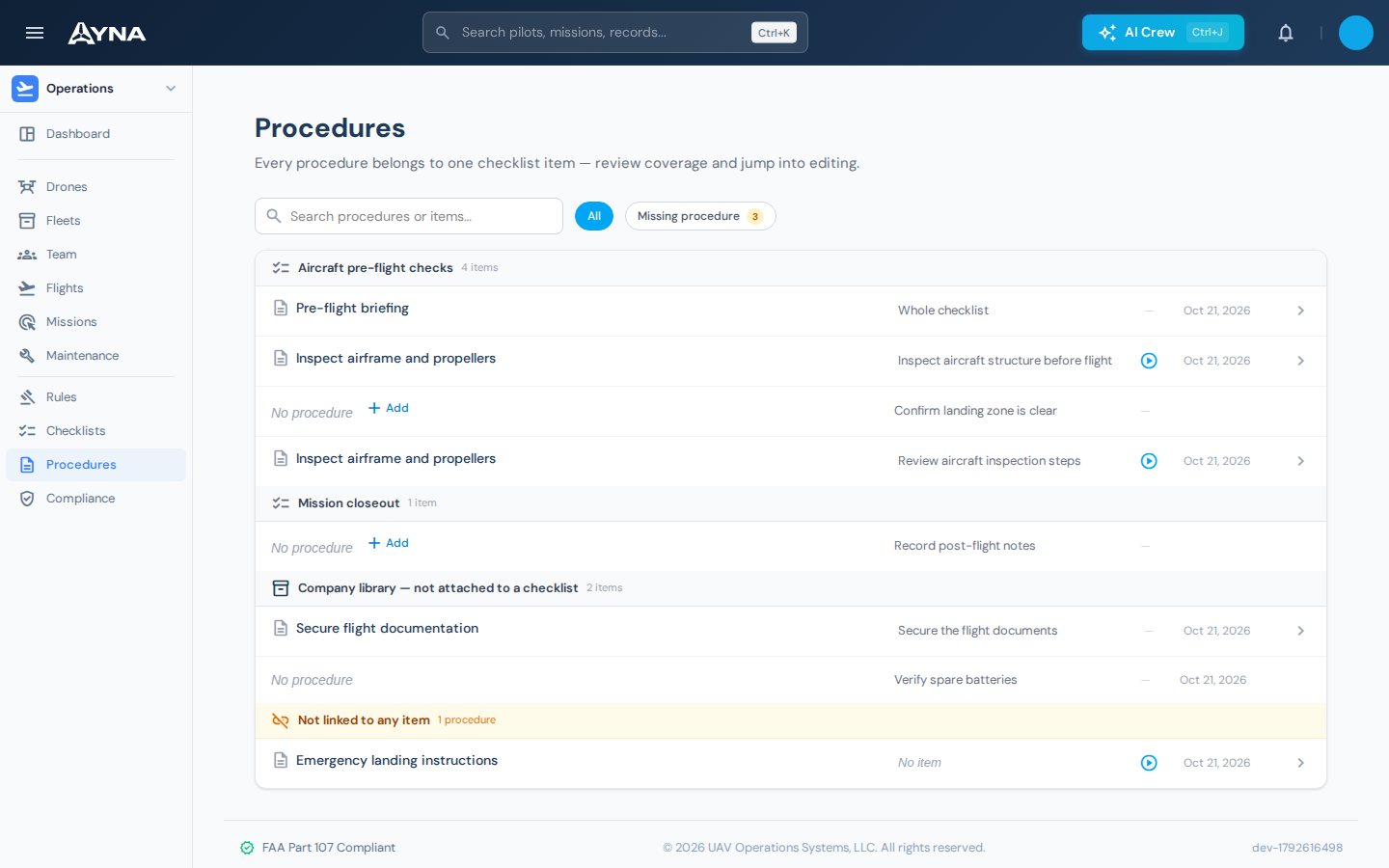
Document your operating procedures within AYNA and maintain reusable checklists for the steps the team executes. A procedure explains the method. A checklist puts the selected actions into the workflow. Keeping both in the platform gives the team a common reference as operations grow.
Operating procedures · reusable checklist definitions
03 / Compliance & procedures
Attach selected checklists at the relevant stage.
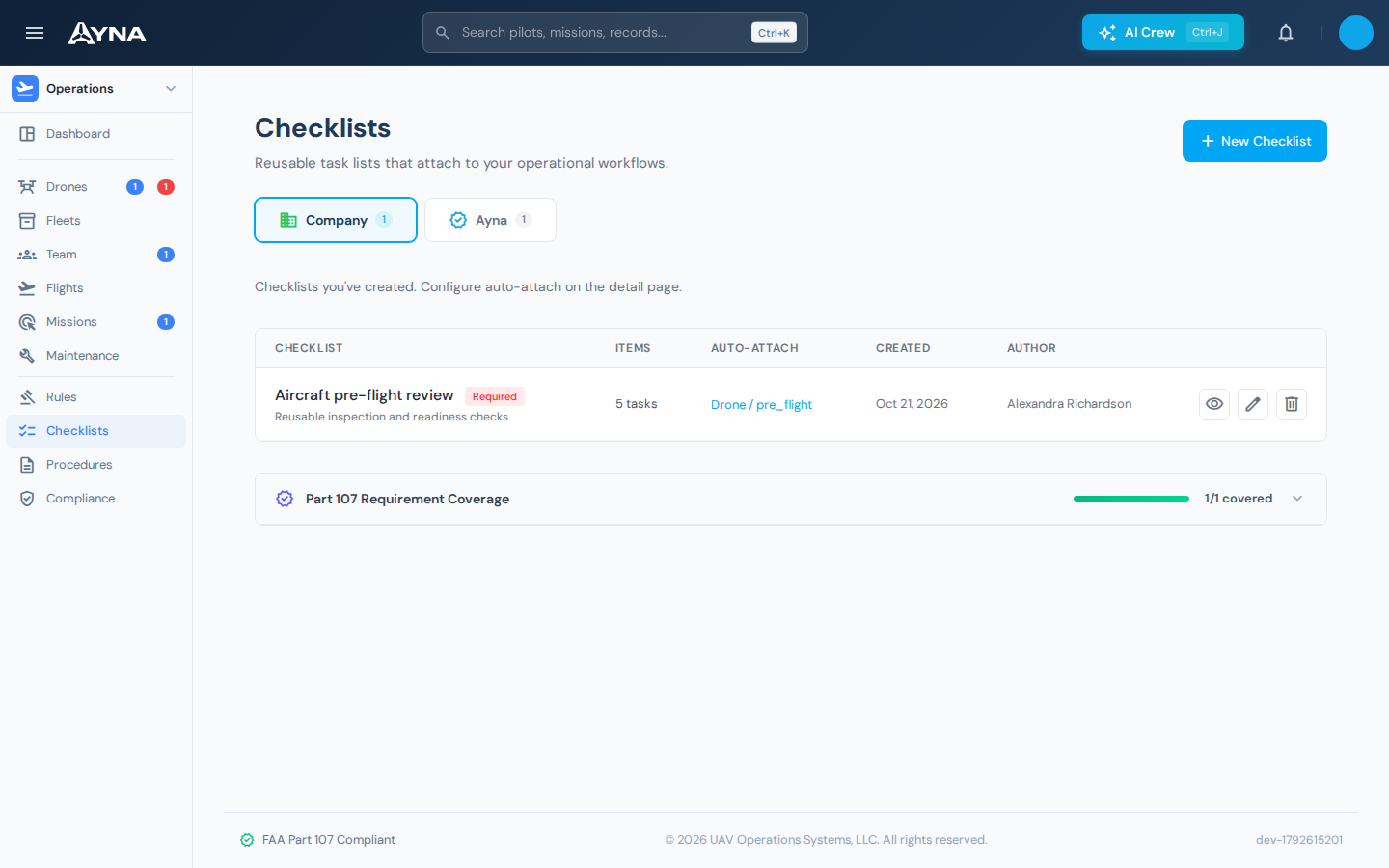
Configure attachment rules for supported objects and stages so selected checklists appear with the work they apply to. For example, an aircraft onboarding checklist can be associated with a new aircraft, while mission preparation uses the relevant operational checklist. Attachment follows the rules you configure.
Object and stage rules · checklist attachment · consistent preparation
04 / Compliance & procedures
Review readiness and completed work in context.
Review Part 107 readiness information for pilots and aircraft, then inspect the relevant checklist work and retained records. CONCORD provides specialized assistance for compliance and readiness questions. The RPIC evaluates the information and remains responsible for the decision to fly.
Readiness information · checklist completion · CONCORD assistance
Working in AYNA
From company procedure to operational record
- 01
Define the standard
Document the procedure and prepare the reusable checklist.
- 02
Configure its use
Select supported objects and stages for checklist attachment.
- 03
Execute and review
Complete the applicable steps and retain the resulting record with the work.
AYNA mobile app / In the field
Put the checklist in the pilot’s hand.
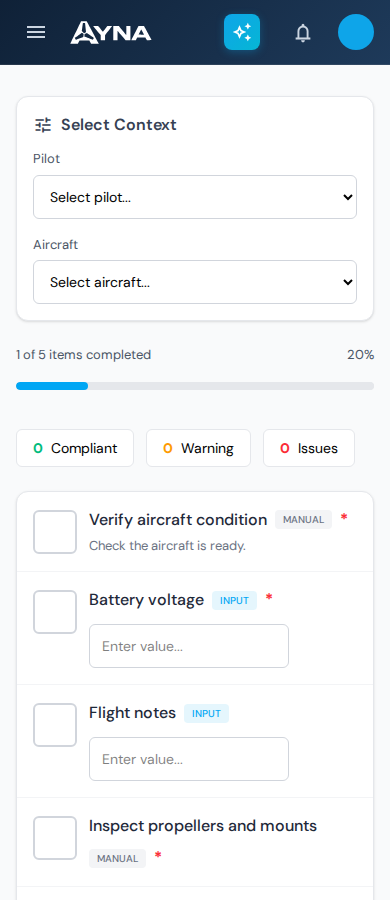
Select the pilot and aircraft, review the applicable checklist items, and record the required responses in AYNA’s mobile layout.
Install AYNA on your home screen as a mobile web app (PWA). Use the same account and workspace on your phone and desktop.
How to install AYNA
On iPhone or iPad, open AYNA in Safari and select Share → Add to Home Screen. On Android, use the installation prompt or the browser menu’s Install app / Add to Home Screen option where available.
Live records and changes require a connection. Installation does not provide offline editing or queued submissions.
Compliance & procedures / Questions
Details for your operation.
Can we use our own procedures?
Yes. AYNA supports custom procedures and rules, along with reusable checklist workflows. See pricing for plan availability.
Does a readiness status authorize a flight?
No. AYNA informs the operator. It does not grant permission to fly or replace the RPIC's assessment.
Does this include LAANC authorization?
LAANC and USS services are not part of the current AYNA offering. The platform organizes readiness information and operational records.
Continue the work
Connected capabilities.
Pilot
Bring your procedures into the operation.
14-day free trial · no charge today · cancel anytime