Operations / Fleet & maintenance
An aircraft record that carries its maintenance history.
Keep ArduPilot, PX4, and DJI aircraft records, installed parts, setups, flight activity, and maintenance together. TUCKER helps explain technical findings, recommend follow-up, and carry approved work into the aircraft’s records.
The operational context
The parts, the setup, and the service history belong with the aircraft.
For an ArduPilot or PX4 build, the aircraft’s history includes the components installed, the recorded setup, flight-log evidence, and changes made during service. DJI aircraft also need a clear record of activity and maintenance. AYNA brings those records into the same system so an equipment question can be reviewed against the aircraft, its parts, and the work already performed.
01 / Fleet & maintenance
Maintain a common aircraft register.
Keep ArduPilot, PX4, DJI, and other aircraft in a common register. Retain the manufacturer, model, identifying information, registration, and available MAVLink identifier alongside the aircraft’s missions, flight activity, and maintenance. Use the record as the starting point when reviewing a custom build or an off-the-shelf platform.
ArduPilot · PX4 · DJI · aircraft identity · MAVLink identifier · registration

02 / Fleet & maintenance
Maintain the parts list and the aircraft setup.
Keep the component list with the aircraft it belongs to: part type, manufacturer, model, serial number, specifications, and installation or removal dates. Retain recorded component hours, cycles, condition, and inspection dates. Aircraft configuration records hold the expected and current setup, giving ArduPilot and PX4 operators a place to maintain the build alongside its service history. When a component is changed, document the replacement and the associated maintenance work so later reviews have that context.
Parts and specifications · installed components · recorded configuration · service changes
03 / Fleet & maintenance
Use the flight log to guide the maintenance review.
Analyze ArduPilot .bin logs for evidence across aircraft systems, including battery, motors, vibration, GPS, flight controller, and radio link. Review the findings with TUCKER to understand what they indicate, consider recommended inspections or corrective work, and retain the supporting report with the aircraft. Use the evidence to inform the maintenance task and document the work that follows. PX4 and DJI technical assistance uses the records and data available; it does not imply identical automatic diagnostics for every log format.
ArduPilot .bin diagnostics · findings and evidence · recommended follow-up · retained reports
Explore the ArduPilot Flight Log Analyzer
04 / Fleet & maintenance
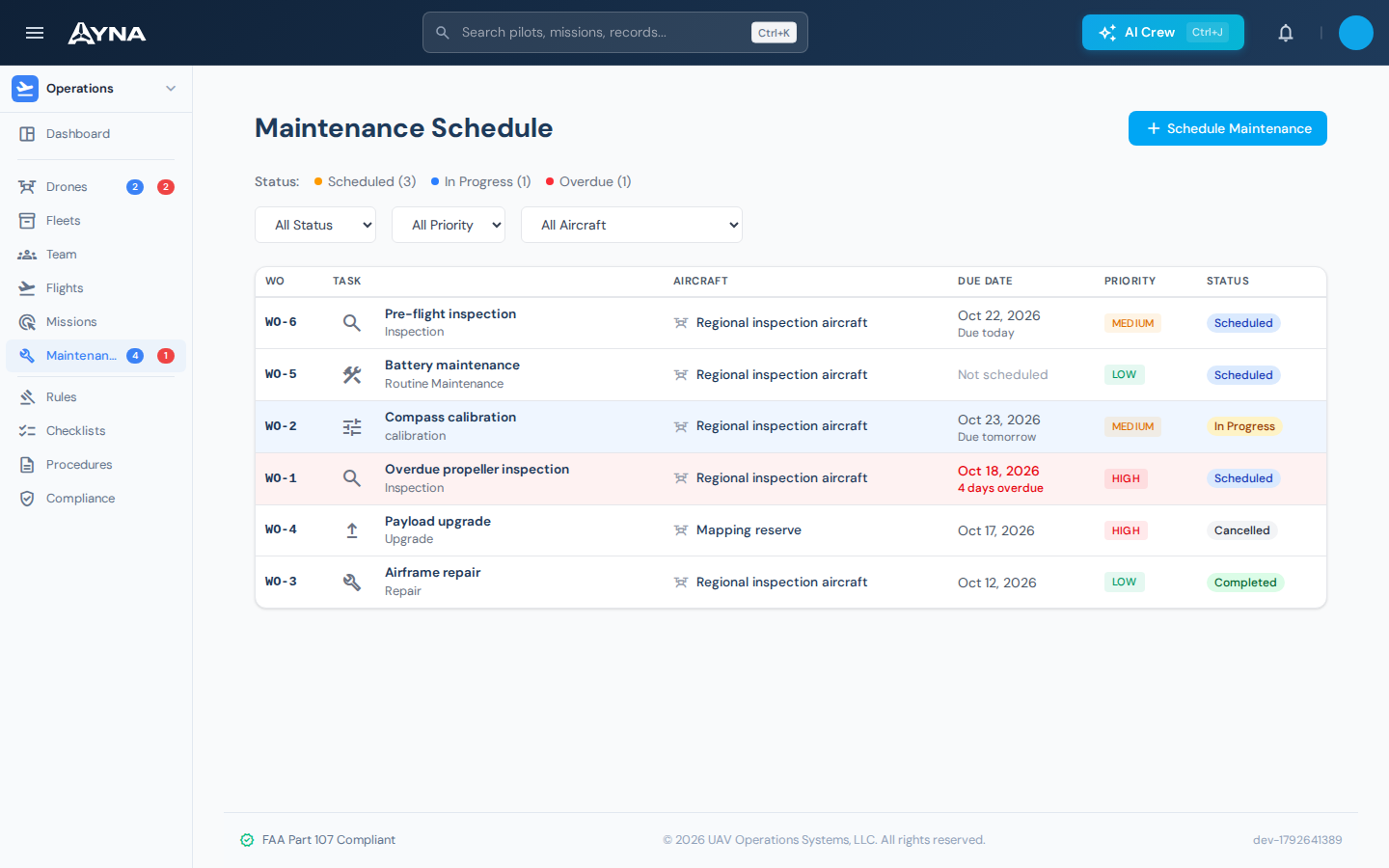
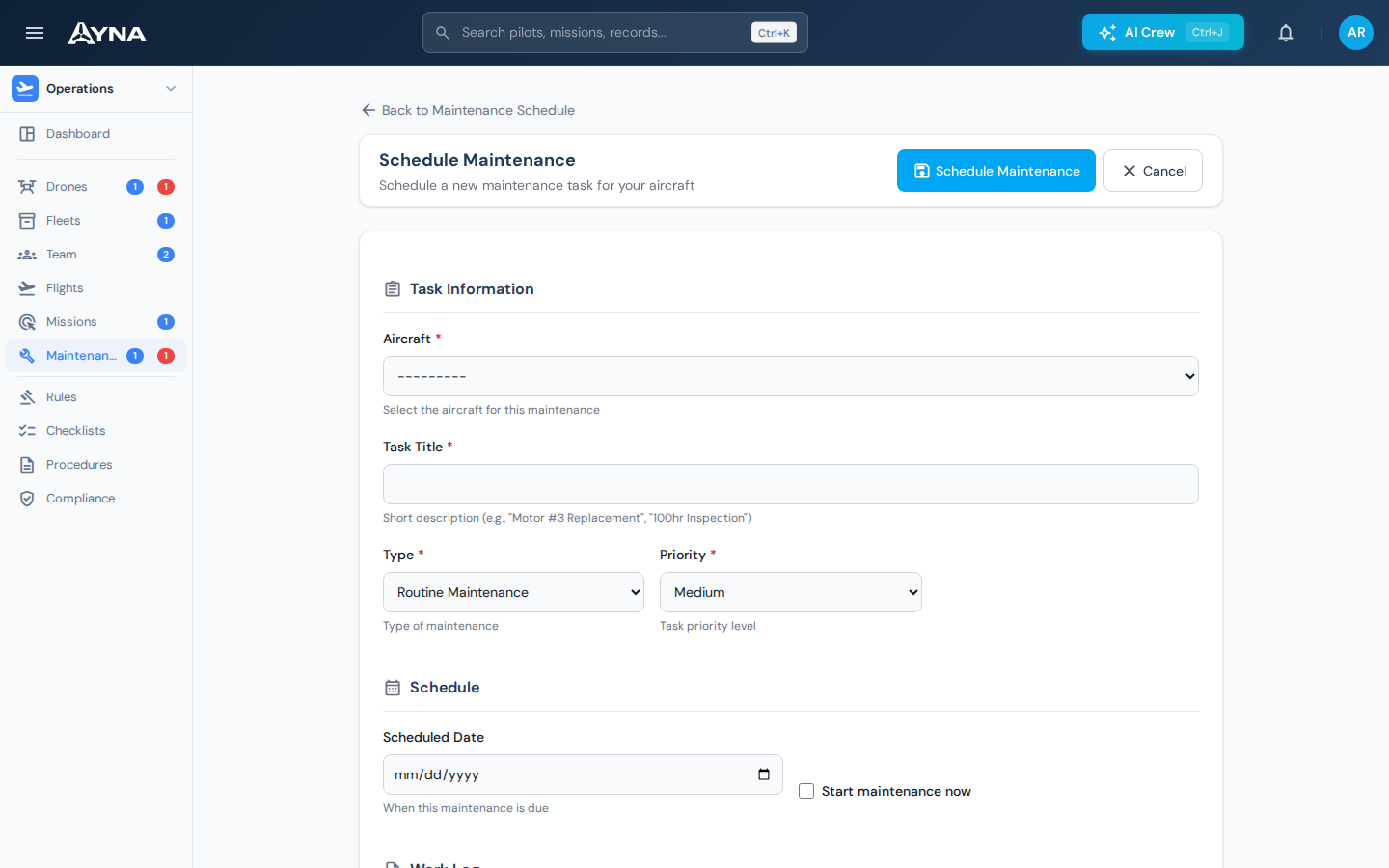
Give each maintenance task a defined work record.
Create aircraft-specific maintenance work with a title, description, type, priority, and status. Each record receives a work order reference. Start work and record its completion through the maintenance workflow so the team can distinguish scheduled work from activity already carried out.
Work order reference · priority · work status
05 / Fleet & maintenance
Record what was done and the evidence behind it.
Retain the performed date, person who logged or performed the work, flight hours at maintenance, replaced parts, cost, and notes. Attach photos, receipts, or reports to the service record. The resulting history stays associated with the aircraft for subsequent review.
Performed work · parts and costs · supporting attachments
06 / Fleet & maintenance
Keep the next service visible.
Record the next service date, review due and overdue work, and keep the follow-up associated with the aircraft. TUCKER can help explain a component concern or available diagnostic finding and recommend the next inspection or maintenance action. Where the relevant tools are enabled, approved follow-up can be captured as a maintenance task, a component entry, or a supporting aircraft record.
Scheduled work · next due date · maintenance assistance
Working in AYNA
A maintenance concern becomes a documented service record
- 01
Identify the aircraft
Review the aircraft’s recorded setup, installed components, flight activity, and existing maintenance history.
- 02
Open and perform the work
Use available diagnostics and TUCKER’s technical assistance to determine the inspection or maintenance follow-up, then record the task.
- 03
Complete and retain
Document the service, component replacements, supporting reports, and next due date with the aircraft.
AYNA mobile app / In the field
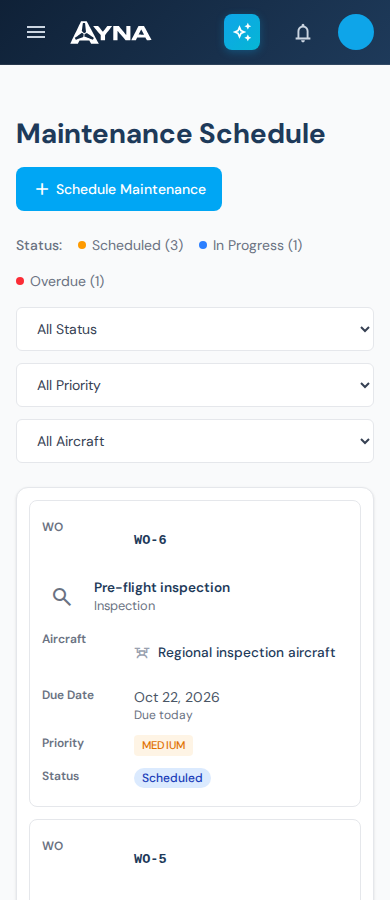
Review the work at the aircraft.
Open the maintenance schedule on your phone. Filter work by aircraft, priority, or status, then review the work order that needs attention.
Install AYNA on your home screen as a mobile web app (PWA). Use the same account and workspace on your phone and desktop.
How to install AYNA
On iPhone or iPad, open AYNA in Safari and select Share → Add to Home Screen. On Android, use the installation prompt or the browser menu’s Install app / Add to Home Screen option where available.
Live records and changes require a connection. Installation does not provide offline editing or queued submissions.
Fleet & maintenance / Questions
Details for your operation.
Can I manage aircraft from different manufacturers?
Yes. AYNA supports aircraft record management across makes. Log parsing and controller connections are separate capabilities and depend on the format and integration available.
Is AYNA suitable for ArduPilot and PX4 aircraft builds?
Yes. Keep aircraft identification, recorded setup, installed parts, component specifications, and service history together. TUCKER can help discuss the configuration and available technical evidence.
Which flight logs have built-in diagnostics?
The built-in diagnostic engine analyzes ArduPilot .bin logs. TUCKER can discuss PX4 and DJI aircraft using the records and data available, but diagnostic coverage depends on the supported format and integration.
Can service records include attachments?
Yes. Maintenance records support documentation such as photos, receipts, and reports, alongside notes and recorded work details.
Does AYNA determine whether an aircraft is airworthy?
The operator remains responsible for assessing the aircraft and making operational decisions. AYNA organizes the information and maintenance work used in that assessment.
Continue the work
Connected capabilities.
Pilot
Bring your fleet records together.
14-day free trial · no charge today · cancel anytime