Operations / Missions & flight records
Keep the mission and its flight record connected.
Plan the work, assign the pilots and aircraft, and keep the resulting flights with the mission. AYNA connects preparation and execution so the record retains the context behind the flight.

The operational context
A flight log explains only part of the operation.
The purpose of the mission, the resources assigned, and the preparation completed are as relevant as the flight itself. When those details sit in separate planning documents and logbooks, reviewing an operation requires assembling its history. AYNA keeps mission planning, assignments, checklist work, and flight history in one system.
01 / Missions & flight records
Define the mission before assigning the work.
Record the mission name, type, description, and planned start and end times. Give the team a common reference for what is being undertaken and when it is expected to happen. The mission remains available as the work progresses and flights are recorded.
Mission scope · planned timing · operational status
02 / Missions & flight records
Keep pilot and aircraft assignments with the plan.
Assign specific pilots and aircraft to the mission, with a primary pilot where appropriate. Review the assigned resources in the same platform that holds their credentials and aircraft records. Follow those related records when preparation requires a closer review.
Assigned pilots · primary pilot · assigned aircraft
03 / Missions & flight records
Carry the operating standard into execution.
Use the applicable pre-flight, in-flight, and post-flight checklists with the mission. Reusable checklist definitions and configured attachment rules put the selected steps into the workflow. Review checklist status alongside the operation rather than reconciling a separate form afterward.
Reusable checklists · configured attachment · completion status
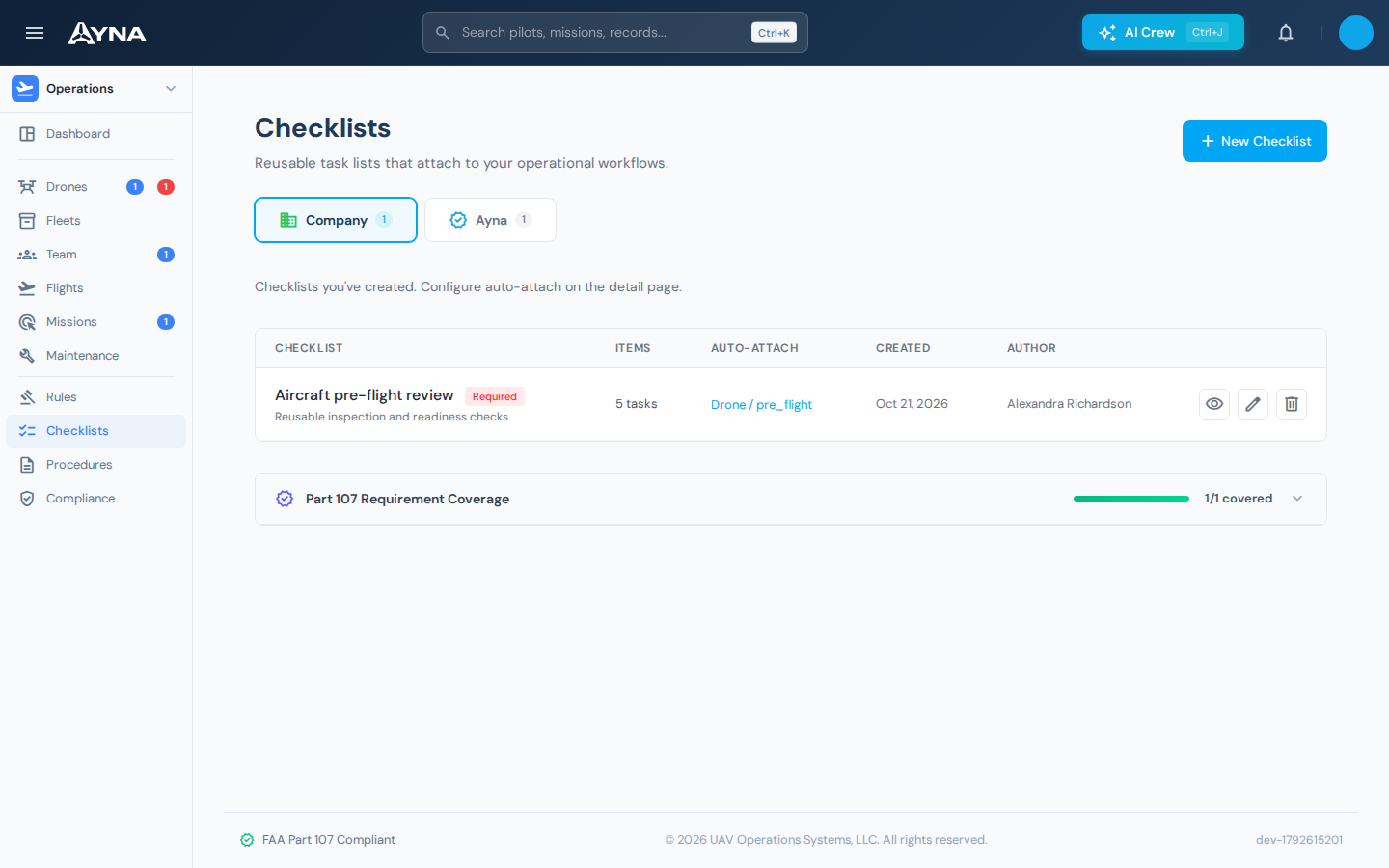
04 / Missions & flight records
Review the flights in their mission context.
Retain the relationship between the mission and its flights. Review flight count and recorded duration, then open individual flights for more detail. A mission with several flights remains one operation with a connected history, rather than a set of unrelated logbook entries.
Mission flights · recorded duration · flight detail

Working in AYNA
From planned mission to retained flight history
- 01
Plan and assign
Define the mission, set its planned timing, and assign the pilots and aircraft.
- 02
Prepare and execute
Review readiness information and complete the applicable operational checklists.
- 03
Review the record
Open the mission's flights and follow any required aircraft or record follow-up.
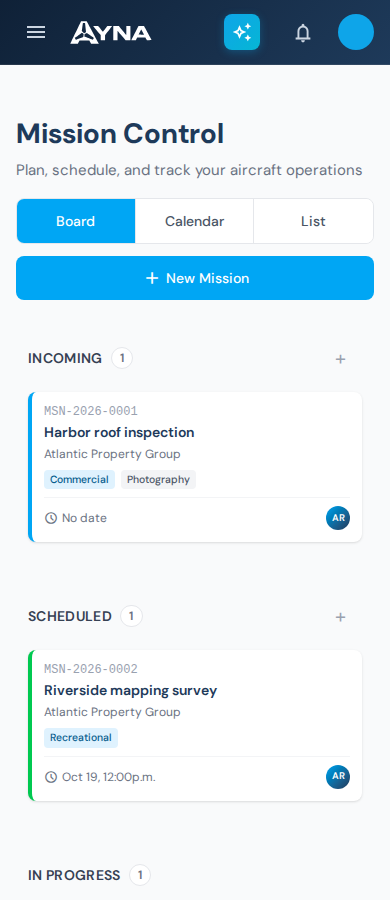
AYNA mobile app / In the field
Prepare the mission from your phone.
Review mission timing and status in the mobile workspace. Keep the assigned pilots, aircraft, and checklist work within the same operating system.
Install AYNA on your home screen as a mobile web app (PWA). Use the same account and workspace on your phone and desktop.
How to install AYNA
On iPhone or iPad, open AYNA in Safari and select Share → Add to Home Screen. On Android, use the installation prompt or the browser menu’s Install app / Add to Home Screen option where available.
Live records and changes require a connection. Installation does not provide offline editing or queued submissions.
Missions & flight records / Questions
Details for your operation.
Can one mission include multiple flights?
Yes. A mission can retain multiple flight records, with a flight count and total recorded duration.
Does planning a mission authorize the flight?
No. The RPIC reviews the relevant conditions and requirements and remains responsible for the flight decision.
Where are the checklist standards defined?
Reusable procedures and checklists are managed within AYNA. The Compliance & Procedures page explains how definitions and configured attachment rules support the workflow.
Continue the work
Connected capabilities.
Pilot
Plan your next operation in AYNA.
14-day free trial · no charge today · cancel anytime